火狐Firefox142浏览器上线支持PWA

IT之家
Aug 23

IT之家 8 月 23 日消息,科技媒体 NeoWin 昨日(8 月 22 日)发布博文,报道称在 Windows 10、Windows 11 版火狐 Firefox 142 浏览器中,Mozilla 推出实验性 Progressive Web Apps(PWA)功能,支持用户将网站固定到任务栏并在精简窗口中运行。

IT之家援引博文介绍,火狐 Firefox 浏览器对 PWA 功能的支持颇为波折。Mozilla 早在 Firefox 73 的 Nightly 版本中,就出现过名为 Site-Specific Browsers(SSB)的实验实现,但由于存在多个已知缺陷且维护成本高,Mozilla 在 2021 年初将其移除。

Mozilla 于今年 3 月发布的 Firefox Nightly 141 重新引入了这一理念,并改名为“Taskbar Tabs”,与 Chrome 的原生 PWA 不同,为确保用户熟悉的使用体验,新版本保留了完整的浏览器界面。

用户如果要开启该功能,需确保所使用的并非微软商店的 MSIX 打包版 Firefox,然后进入 about:preferences#experimental 的 Labs 页面,勾选“Add sites to your taskbar”选项即可。
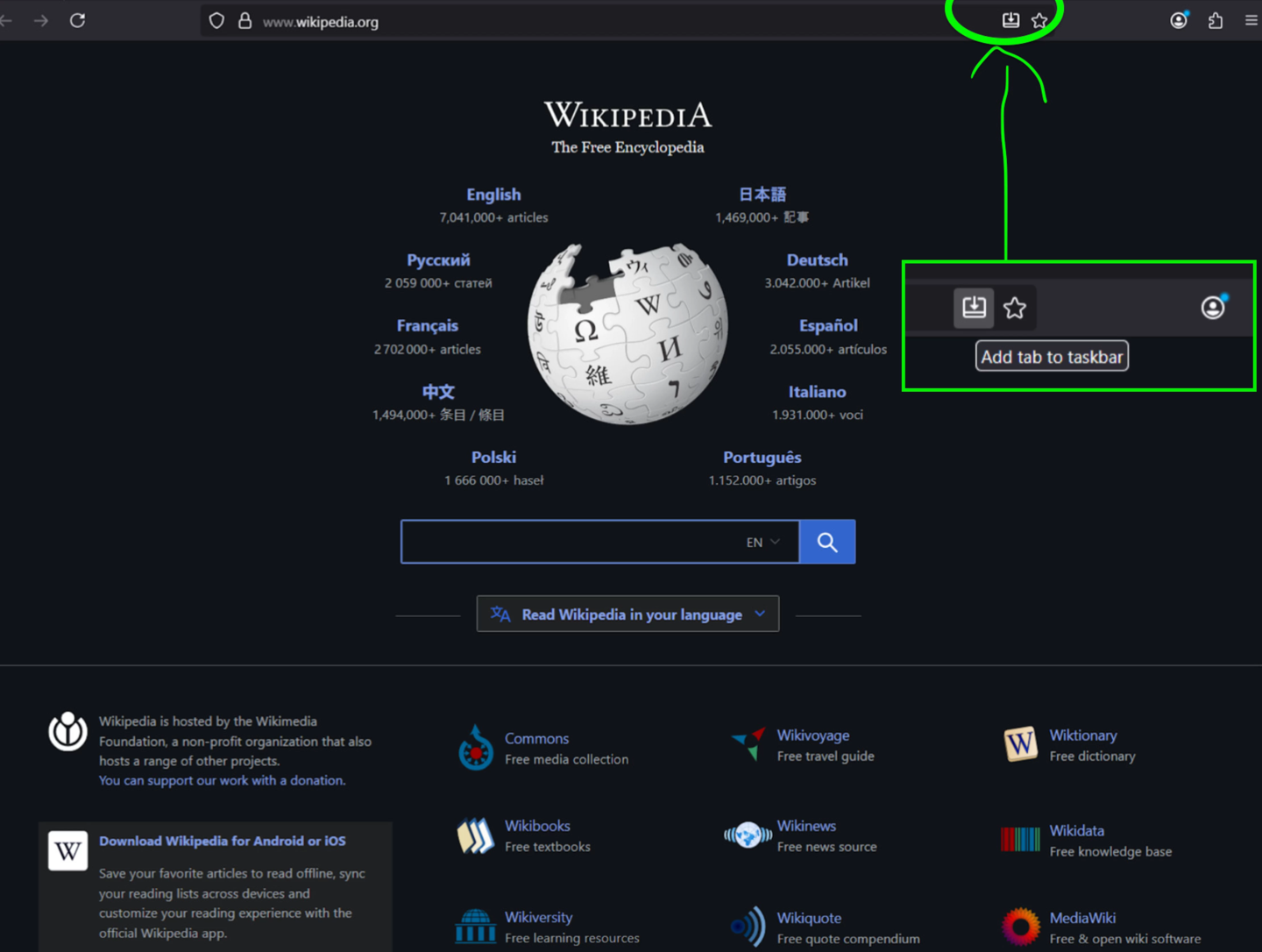
用户之后在浏览网页时,可点击地址栏右侧的“添加到任务栏”图标,固定当前站点,并通过提示确认。启动时,会以简化窗口打开该站点。
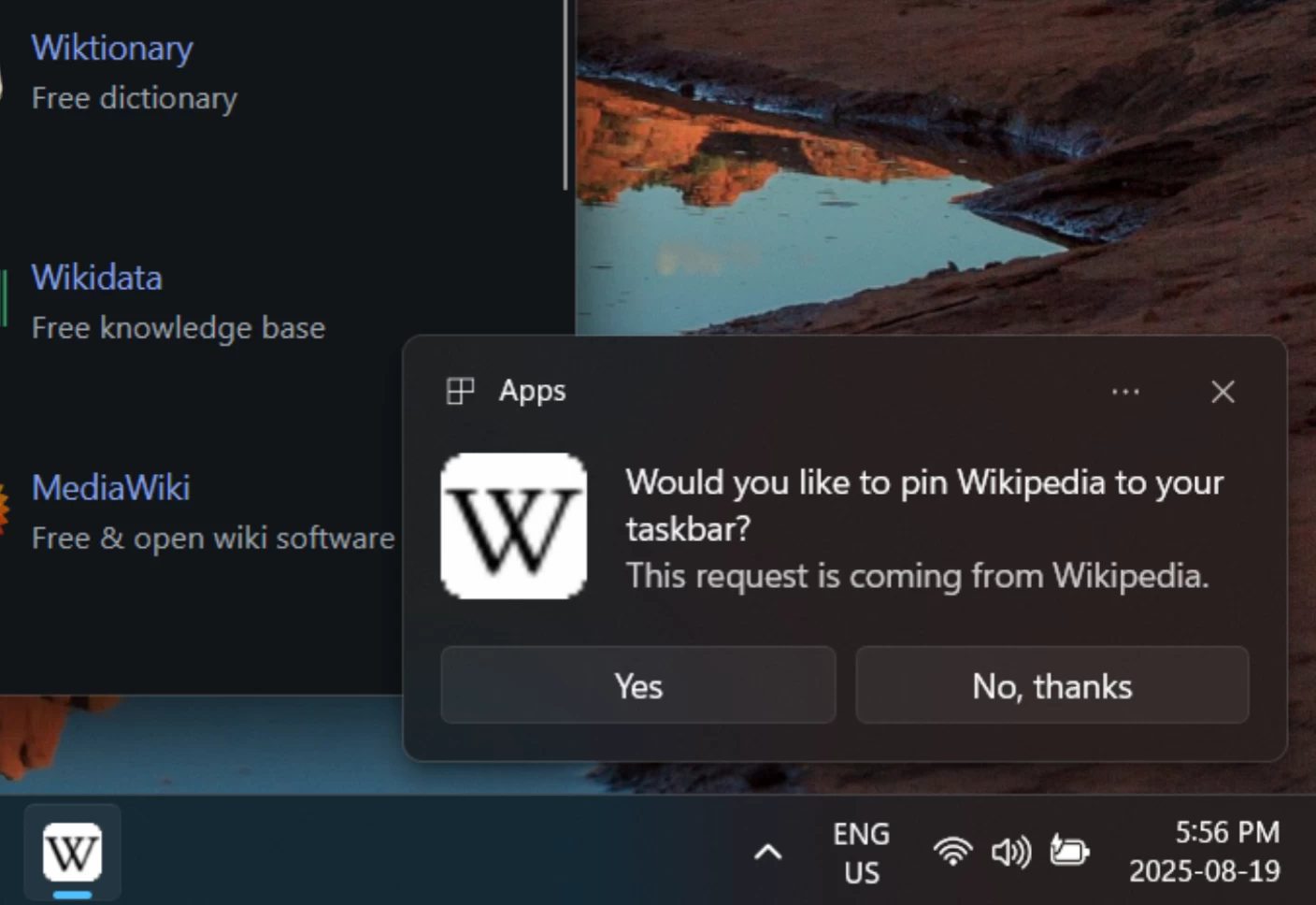
如果设置中找不到 Labs 选项,可能是关闭了数据收集或“安装并运行研究”功能。可以在“隐私与安全”中打开这两项,或直接在 about:config 搜索 browser.taskbarTabs.enabled,并将值设为 true 来手动启用。该功能目前尚不支持隐私浏览模式。

Disclaimer: Investing carries risk. This is not financial advice. The above content should not be regarded as an offer, recommendation, or solicitation on acquiring or disposing of any financial products, any associated discussions, comments, or posts by author or other users should not be considered as such either. It is solely for general information purpose only, which does not consider your own investment objectives, financial situations or needs. TTM assumes no responsibility or warranty for the accuracy and completeness of the information, investors should do their own research and may seek professional advice before investing.

Most Discussed

  1. 1


  2. 2


  3. 3


  4. 4


  5. 5


  6. 6


  7. 7


  8. 8


  9. 9


  10. 10