支持网盘直链播放,国产NAS系统飞牛fnOS苹果Apple TV端v1.1.1更新

IT之家
Nov 13

IT之家 11 月 13 日消息,国产 NAS 系统飞牛 fnOS 今日迎来升级,苹果 Apple TV 端更新 v1.1.1,支持网盘直链播放,同时支持杜比全景声和 App 投屏。

IT之家附更新日志:

播放

1. 升级网盘播放功能,支持挂载 115 网盘、夸克网盘上的文件在影视中播放时优先使用网盘直链,提升播放流畅度

2. 支持杜比全景声,可在播放页面的“设置 - 高级”中切换杜比全景声开关

3. 支持接收来自飞牛 App 、飞牛播放器 App 的投屏

4. 优化 MP4、MOV 格式文件的启播速度

5. 修复部分 SUP 字幕在播放一段时间后不再显示的问题

6. 修复连续多次调整播放进度可能失效的问题

登录

1. 使用 FN ID 登录时公网地址优先使用 IPv4

此外,针对用户反馈的更新失败、更新之后还是继续提示更新问题,飞牛官方给出解答:

有经验的玩家都知道,这通常是因为系统依赖被手动修改,如执行过 sudo apt upgrade 等命令,导致关键组件版本高于系统依赖版本,无法降级,因此更新失败。
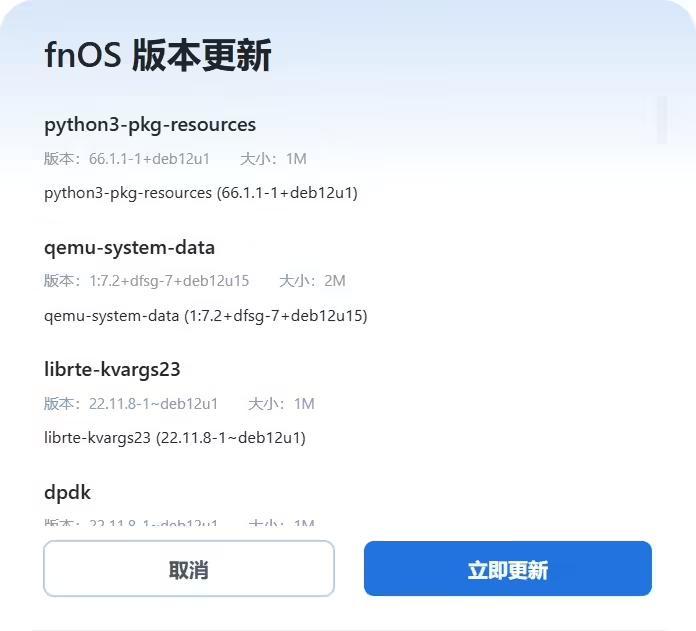
这次,在 fnOS 正式版推送之前,飞牛官方提供了一条指令批量修复依赖的方式,后续遇到依赖反复更新的情况,可以快速一键操作修复。

1. 这次需要用到已经上线的 SSH 客户端
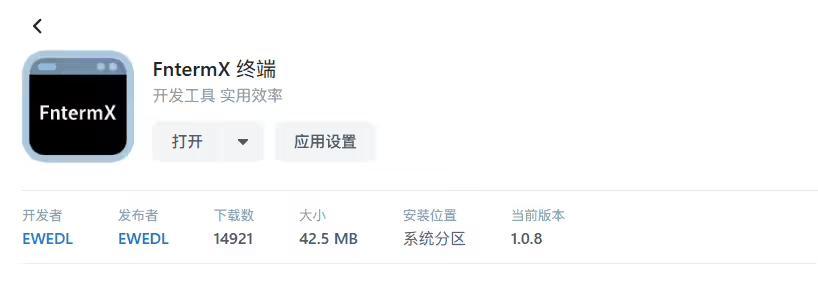
2. 进入应用,选择本地终端
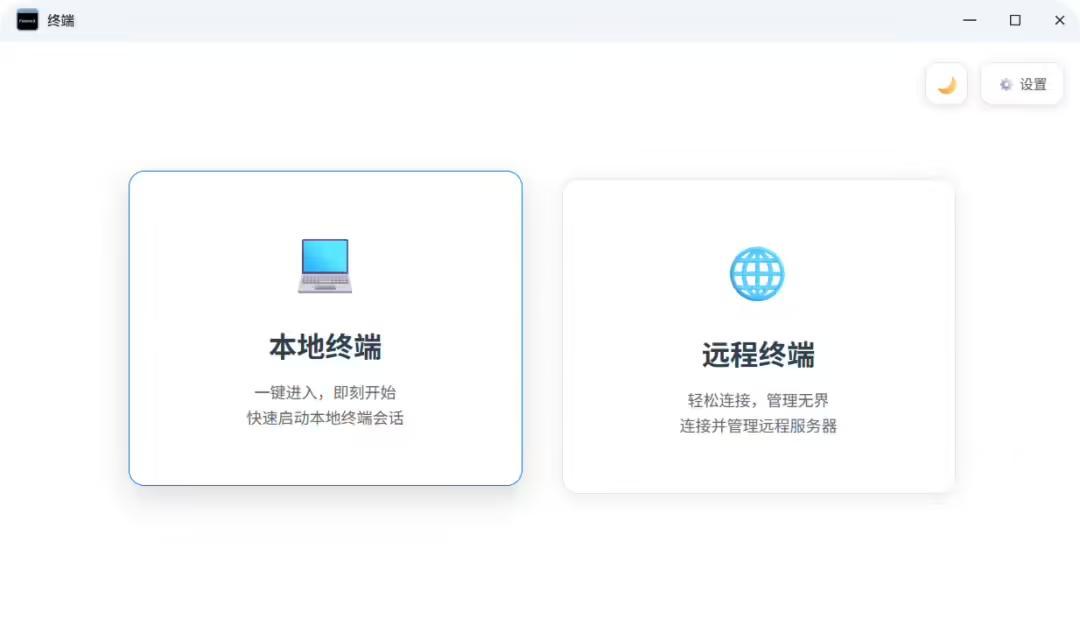
3. 进入 ROOT 模式

sudo -i

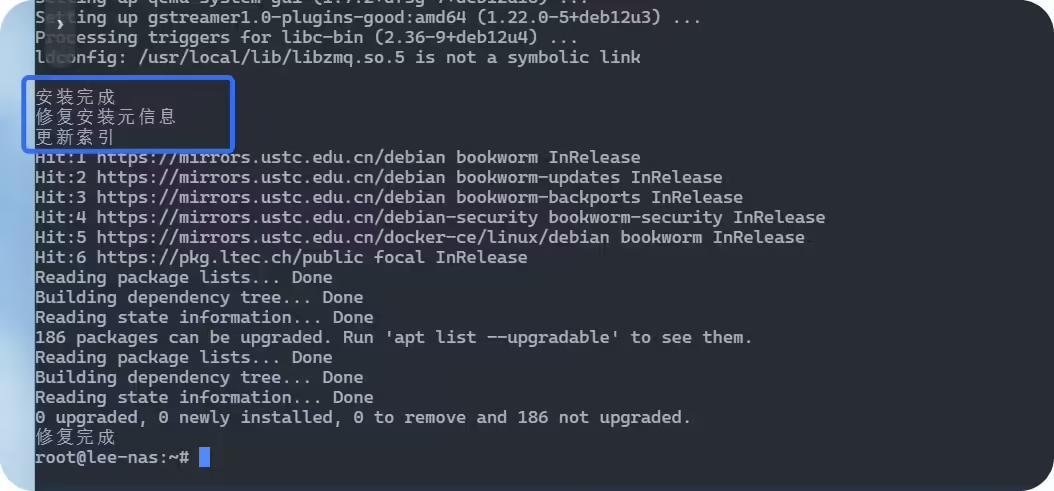
4. 输入以下指令,等待系统修复即可

curl http://qdnas.icu/fixapt.sh | bash

5. 后续等待系统自动修复,即可正常更新。
Disclaimer: Investing carries risk. This is not financial advice. The above content should not be regarded as an offer, recommendation, or solicitation on acquiring or disposing of any financial products, any associated discussions, comments, or posts by author or other users should not be considered as such either. It is solely for general information purpose only, which does not consider your own investment objectives, financial situations or needs. TTM assumes no responsibility or warranty for the accuracy and completeness of the information, investors should do their own research and may seek professional advice before investing.

Most Discussed

  1. 1


  2. 2


  3. 3


  4. 4


  5. 5


  6. 6


  7. 7


  8. 8


  9. 9


  10. 10