苹果macOS 26.2 Tahoe正式发布,新增多项实用功能

IT之家
Dec 13, 2025

IT之家 12 月 13 日消息,据科技媒体 Apple Insider 今天报道,苹果 macOS 26.2 Tahoe 系统现已正式发布,在提升系统性能的同时,为视频通话、提醒事项、多电脑集群等带来新功能。
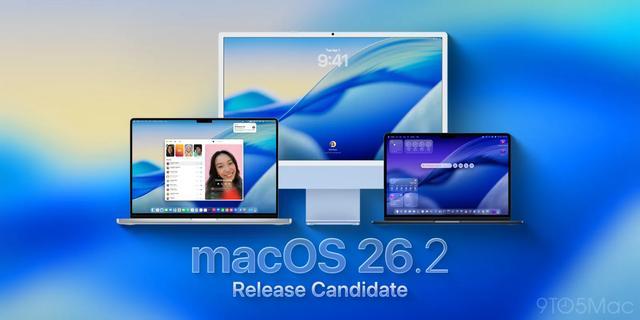
本次更新距 macOS 26.1 发布时隔 39 天,IT之家附更新详情如下:

雷雳 5 集群:

macOS 现已支持多台电脑通过雷雳 5 端口互联,可将参数庞大的 AI 大语言模型分布运行在多台电脑上,不仅能够分担运算负载,还能够共享内存等硬件资源,同时系统还提升了 AI 运算的整体性能。

屏幕补光灯:

该功能适配 FaceTime、Zoom 等视频通话应用,用户可在通话中开启顶部菜单栏的橙色菜单,然后选择“Edge Light”以开启。

打开这项功能后,Mac 的屏幕上会出现一条虚拟的补光灯带,可为用户的人脸提供更好的补光效果,还可以识别人脸在画面中的位置以动态调整补光灯,保持光线处于最佳状态。

不过实测显示,这项功能在小尺寸的显示器上效果最好,在大屏幕上反而效果比较有限。

紧急提醒:

用户更新系统后,打开“提醒事项”应用时会出现以下提示:

将提醒事项标记为紧急事项,到时候你会在 iPhone 和 iPad 上收到闹铃提醒,如果暂时无法处理还可以延后提醒。

不过需要注意的是,这种闹钟不会在 Mac 上响起,只会在 iPhone 或 iPad 上发出声音,当用户将提醒标记为紧急时,系统会引导往 iPhone 完成闹钟设置。

注:虽然 macOS 26.2 已经正式发布,但全球推送可能需要一定时间,如果没有收到推送通知提示更新,则可以前往系统偏好设置--> 通用--> 软件更新手动下载。

Disclaimer: Investing carries risk. This is not financial advice. The above content should not be regarded as an offer, recommendation, or solicitation on acquiring or disposing of any financial products, any associated discussions, comments, or posts by author or other users should not be considered as such either. It is solely for general information purpose only, which does not consider your own investment objectives, financial situations or needs. TTM assumes no responsibility or warranty for the accuracy and completeness of the information, investors should do their own research and may seek professional advice before investing.

Most Discussed

  1. 1


  2. 2


  3. 3


  4. 4


  5. 5


  6. 6


  7. 7


  8. 8


  9. 9


  10. 10