苹果iOS 26.4 Beta 4新选项:可关闭液态玻璃刺眼动效

IT之家
14 hours ago

IT之家 3 月 10 日消息,科技媒体 9to5Mac 今天(3 月 10 日)发布博文,报道称在 iOS 26.4 Beta 4 测试版更新中,苹果公司为“液态玻璃”(Liquid Glass)界面新增了“减弱亮光效果”(Reduce Bright Effects)选项。

苹果公司自 iOS 26 首次全面启用“液态玻璃”设计以来,一直在打磨系统细节,并逐步增加选项,让用户自定义视觉效果。

早在 iOS 26.1 版本中,系统就在“显示与亮度”设置内增加了一个关键选项,支持用户将默认的“透明”设计切换为更接近 iOS 18 风格的“色调”外观。

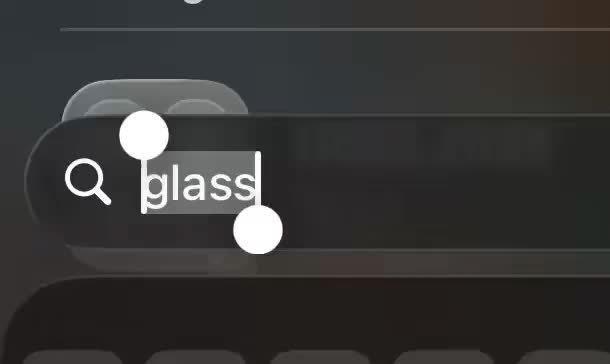
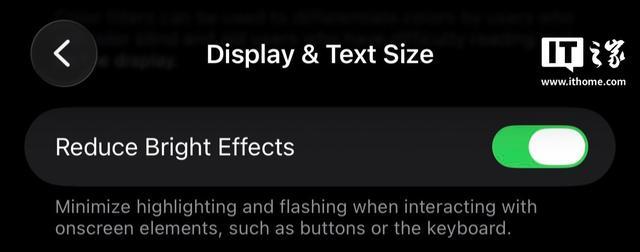
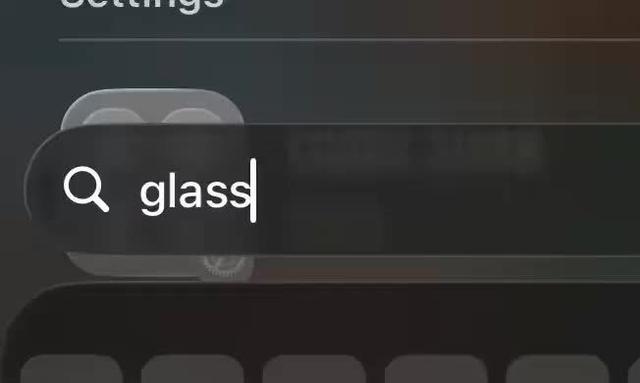
如今在 iOS 26.4 中,苹果进一步扩展了这种自定义权限,全新的“减弱亮光效果”功能专门优化“液态玻璃”设计,主要控制用户与特定 UI(用户界面)元素交互后,系统触发的明亮闪烁反馈。开启该功能后,系统会直接关闭这些可能引起视觉疲劳的动态光效。IT之家附上演示效果如下:

启用状态效果

禁用状态效果

用户只需依次打开系统的“设置”应用,进入“辅助功能”菜单,然后点击“显示与文字大小”,即可在列表中找到并激活“减弱亮光效果”的开关选项。对于不适应强光动效的用户而言,该功能提供了更加温和、舒适的视觉交互体验。

Disclaimer: Investing carries risk. This is not financial advice. The above content should not be regarded as an offer, recommendation, or solicitation on acquiring or disposing of any financial products, any associated discussions, comments, or posts by author or other users should not be considered as such either. It is solely for general information purpose only, which does not consider your own investment objectives, financial situations or needs. TTM assumes no responsibility or warranty for the accuracy and completeness of the information, investors should do their own research and may seek professional advice before investing.
Most Discussed

  1. 1


  2. 2


  3. 3


  4. 4


  5. 5


  6. 6


  7. 7


  8. 8


  9. 9


  10. 10