谷歌安卓17将原生支持游戏手柄按键重映射,系统级全局生效

IT之家
Apr 08

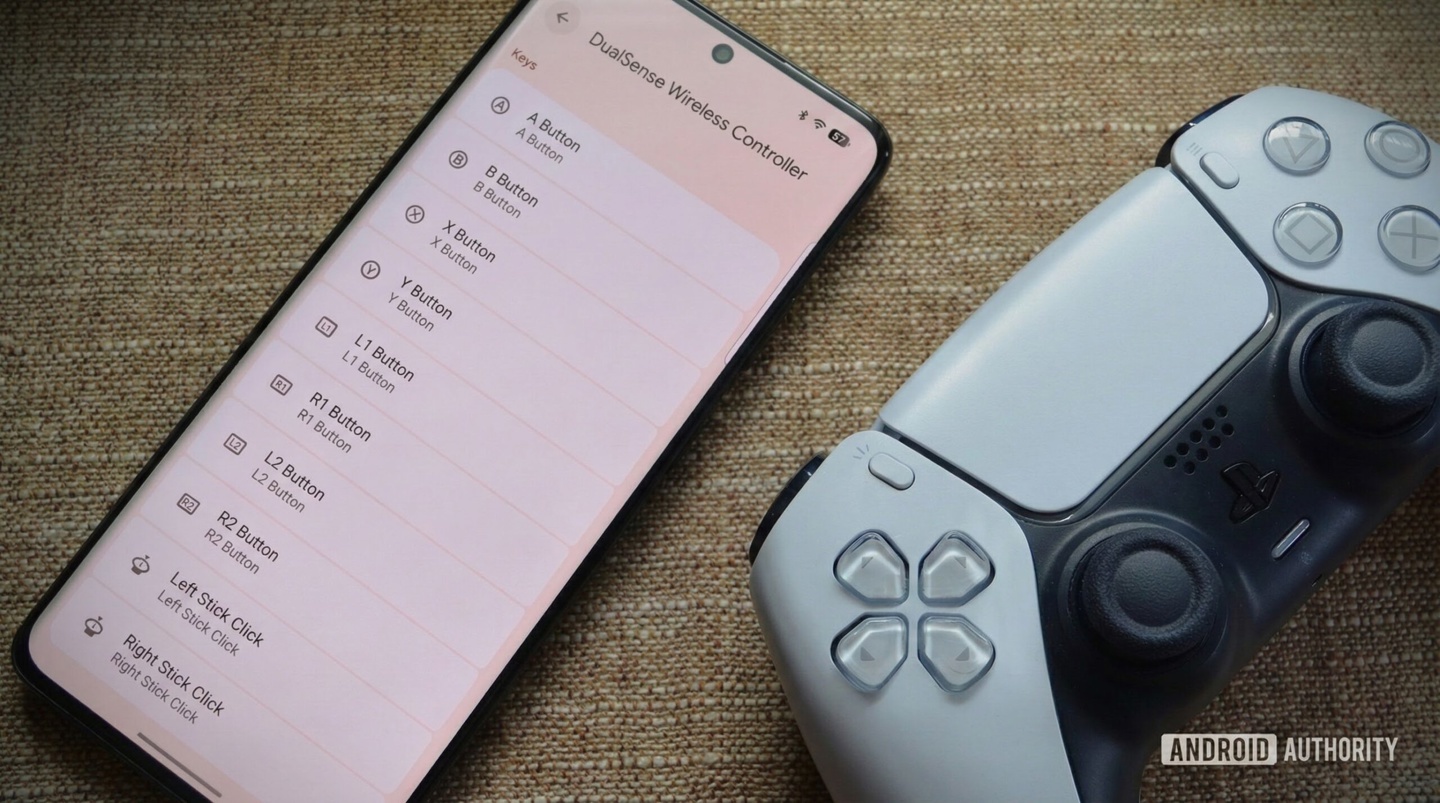
IT之家 4 月 8 日消息,科技媒体 Android Authority 今天(4 月 8 日)发布博文,报道称在安卓 17 Beta 2 版更新中,谷歌原生引入了系统级手柄按键重映射功能。

和依赖单个游戏或第三方应用的解决方案不同,安卓 17 的实现方案作用于系统底层,用户自定义的按键布局可跨游戏全局生效,从而解决重复设置的繁琐问题。

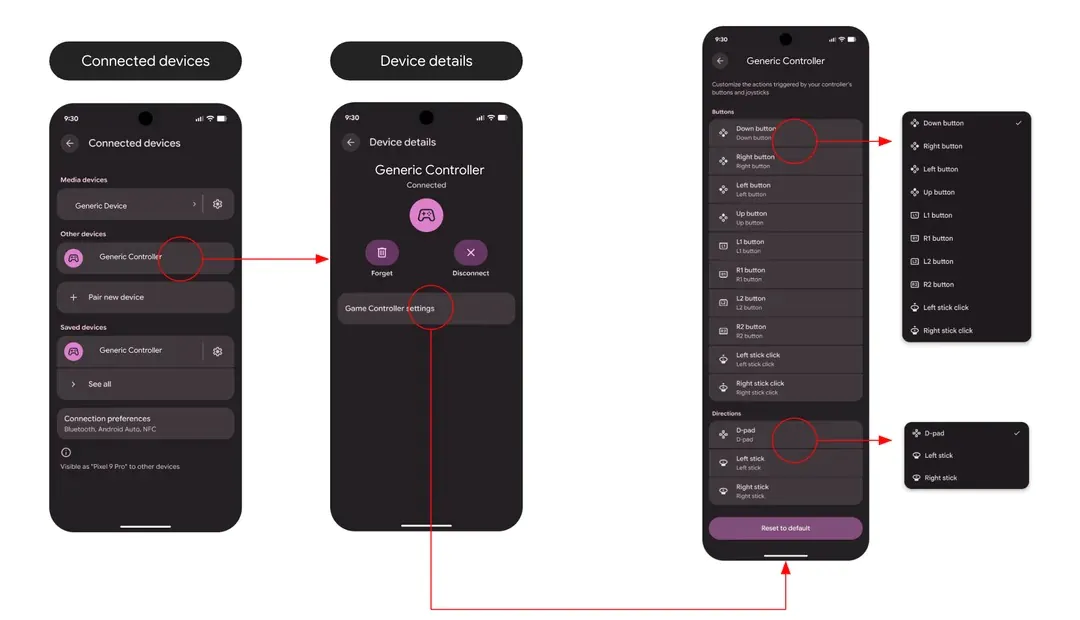
该功能原生支持有线与蓝牙手柄,提供了精细化的重映射选项。IT之家援引博文介绍,用户可通过系统设置路径访问:有线手柄需进入“设置 > 系统 > 游戏手柄”,蓝牙手柄则需前往“设置 > 已连接的设备 > 设备详情 > 游戏手柄设置”。

在设置界面中,玩家能够自由重映射面部按键、扳机、摇杆按压,甚至可以交换方向键与模拟摇杆的输入逻辑,并将配置文件保存在本地设备中。

谷歌表示,该功能的设计初衷,充分考量无障碍体验,让玩家根据自身的生理需求与肌肉记忆调整操控方案,尤其方便在不同布局的手柄平台间切换时使用,让有特殊操控需求的用户不再依赖第三方工具实现原生调整。

作为早期版本,谷歌承认仍存在部分缺陷,例如特定手柄可能显示错误的按键图标,但实际功能运行不受影响。谷歌正积极收集用户反馈,以便在正式版发布前进一步完善功能细节。

Disclaimer: Investing carries risk. This is not financial advice. The above content should not be regarded as an offer, recommendation, or solicitation on acquiring or disposing of any financial products, any associated discussions, comments, or posts by author or other users should not be considered as such either. It is solely for general information purpose only, which does not consider your own investment objectives, financial situations or needs. TTM assumes no responsibility or warranty for the accuracy and completeness of the information, investors should do their own research and may seek professional advice before investing.
Most Discussed

  1. 1


  2. 2


  3. 3


  4. 4


  5. 5


  6. 6


  7. 7


  8. 8


  9. 9


  10. 10