Windows 11预装软件可一键删除!开源工具Winhance成GitHub热门

快科技
May 25

快科技5月25日消息,长期以来,Windows 11预装的大量冗余软件与后台追踪功能一直饱受用户诟病,不仅拖慢系统运行,还存在隐私泄露隐患。传统精简方案需重装系统,操作繁琐且风险高。

近日,开源Windows增强工具Winhance在GitHub持续走红,无需重装系统即可实现安全精简与深度定制,引发网友追捧。

Winhance基于C#开发,截至2026年5月25日已收获10.4k星标、526次Fork。与激进的系统修改工具不同,它以保障稳定性为前提,提供安装版与便携版两种形式,下载即可直接使用。工具完全免费开源,所有代码公开可查,官方还公布了安装包SHA256校验值,确保下载安全。

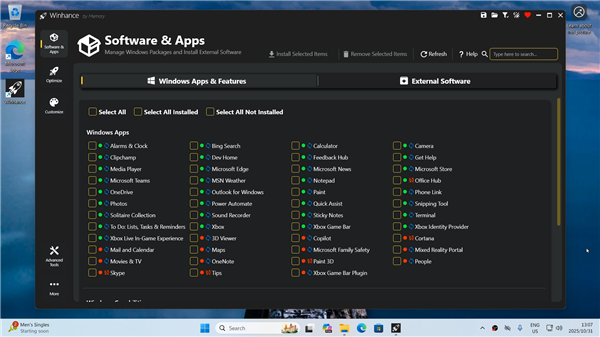
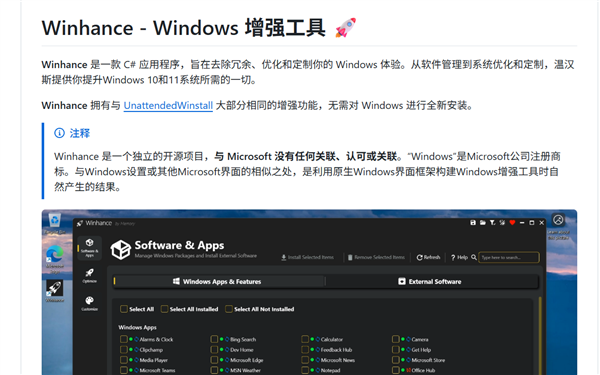
功能上,Winhance分为三大板块:软件管理模块清晰区分系统组件与冗余软件,支持一键移除OneDrive、Xbox服务等预装程序,同时整合微软官方的WinGet 套件管理器,进行外部软件的批次安装或卸载。

系统优化与个性化模块采用开关式设计,可自由调整电源计划、更新逻辑、任务栏样式等。配置导入导出功能则能一键同步多设备设置,大幅提升部署效率。

安全性方面,所有操作均基于系统原生接口,不会破坏底层结构,高风险选项会弹出明确警告。笔者在虚拟机中测试,批量删除冗余软件后连续运行多日,未出现系统异常。

目前开发者计划将其上架微软商店并推出WinGet安装包,同时优化应用移除速度、修复Edge相关问题。

Winhance在易用性与专业性间找到了平衡,是想要摆脱预装软件困扰用户的优质选择。不过仍建议操作前备份重要数据,避免误操作造成损失。

Disclaimer: Investing carries risk. This is not financial advice. The above content should not be regarded as an offer, recommendation, or solicitation on acquiring or disposing of any financial products, any associated discussions, comments, or posts by author or other users should not be considered as such either. It is solely for general information purpose only, which does not consider your own investment objectives, financial situations or needs. TTM assumes no responsibility or warranty for the accuracy and completeness of the information, investors should do their own research and may seek professional advice before investing.
Most Discussed

  1. 1


  2. 2


  3. 3


  4. 4


  5. 5


  6. 6


  7. 7


  8. 8


  9. 9


  10. 10