苹果回应iPhone 18 Pro/Max短暂运行缓慢

IT之家
Sep 29

IT之家 9 月 29 日消息,科技媒体 AppleInsider 昨日(9 月 28 日)发布博文,报道称部分用户反馈,在 iPhone 17 等旧款(升级到 iOS 27)以及 iPhone 18 Pro、iPhone 18 Pro Max 上出现短暂运行缓慢问题,基本确认关联“聚焦”(Spotlight)索引创建导致。

根据社区用户反馈,在 iPhone 17 等机型升级 iOS 27 系统之后,以及在 iPhone 18 Pro 和 iPhone 18 Pro Max 机型上,可能会出现响应变慢的情况。
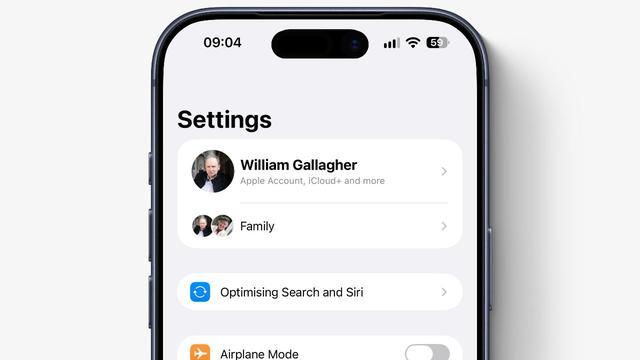
该媒体指出该情况预估关联 iOS 27 系统的 Spotlight 索引功能。系统会扫描文件、文件夹、应用、文档、邮件、信息、联系人、照片、音乐、播客、备忘录和系统设置,并建立本地检索目录。

索引完成后,Spotlight 可以更快找到邮件、文件和备忘录。Siri AI 也能依据索引,从邮件或日历中读取航班时间等信息,并返回相关内容。

苹果说明,索引完全在设备本地执行,生成的索引也保存在设备中。iOS 会持续更新索引,苹果明确表示首次建立索引时,任务规模最大,用户也最容易感知性能下降。

索引耗时取决于设备存储的数据量。苹果支持文档称,Spotlight 索引可能需要数小时甚至数天。该媒体观察到,部分设备的实际等待时间约为一周。

苹果官方更新日志内容如下:

关于“聚焦”索引建立过程

“聚焦”会为你的设备建立索引,以帮助你搜索其中的内容。在你首次设置设备时、安装软件更新或升级后,以及设备上的数据发生变化时,都会建立索引。例如,在你安装了支持为内容建立索引的新 App 或收到新的电子邮件或短信时,索引会更新。

根据设备上的数据量,建立“聚焦”索引的过程可能会持续数小时甚至数天。建立索引后,增量更新的速度会快很多。在以下情况下,索引建立过程会更快地完成:

你的设备处于闲置状态。

你的设备已接通电源。

你的设备已通过 Wi-Fi 或以太网接入互联网,以便在需要时下载电子邮件或其他数据以用于建立索引。

Disclaimer: Investing carries risk. This is not financial advice. The above content should not be regarded as an offer, recommendation, or solicitation on acquiring or disposing of any financial products, any associated discussions, comments, or posts by author or other users should not be considered as such either. It is solely for general information purpose only, which does not consider your own investment objectives, financial situations or needs. TTM assumes no responsibility or warranty for the accuracy and completeness of the information, investors should do their own research and may seek professional advice before investing.

Most Discussed

  1. 1


  2. 2


  3. 3


  4. 4


  5. 5


  6. 6


  7. 7


  8. 8


  9. 9


  10. 10