CDP Share Transfer-In Overview
Tiger Brokers now supports digital CDP share transfer-in, allowing clients to transfer selected SGX-listed securities or all eligible SGX securities from their CDP account to their Tiger account seamlessly through the Tiger Trade app.
Transfer-in fees: Tiger Brokers does not charge any transfer-in fees and will absorb all associated costs relating to the CDP share transfer-in request.
Transfer-in time: With accurate submission of the share transfer details, the transfer process generally takes approximately 3 business days. Please note that if a new ID document is uploaded, additional processing time may be required for ID verification and review.
Non-eligible securities: Please refer to the table for securities that cannot be transferred.
Securities Type and Balance Type | |
Full Transfer (to transfer all securities) | Partial Transfer (to transfer specific stocks) |
Singapore Saving Bonds | Singapore Saving Bonds |
Balances that are not in free balance (ie. "frozen", "moratorium") | Balances that are not in free balance (ie. "frozen", "moratorium") |
*Rights Shares | Non-renouncable Rights |
Suspended Counters | Suspended Counters |
Delisted Counters | Delisted Counters |
Unlisted Equities Counters | |
*Rights Shares: All types of rights shares are not eligible for full transfers, as this allows account holders to continue electing for excess rights.
Lenders under SGX's SBL programme: Securities that are out on loan under SGX SBL programme will not be transferred from your CDP account to your custody account. This is because when such securities are on loan, legal ownership is temporarily transferred to the borrower. You may write to CDP at asksgx@sgx.com to opt out of the SGX SBL programme before the transfer.
Confirmation of personal information: To avoid rejection of the share transfer request by CDP due to mismatched personal information, clients must ensure that the details submitted match the records registered with CDP during the submission of share transfer requests.
Cancellation of transfer request: Transfer requests can only be cancelled when the status is “Under Reviewing”.
2 days "cooling off" period: Clients should expect to receive an email and/or SMS notification from CDP regarding the transfer request. If the request was authorized and initiated by the client, no further action is required. The transfer will proceed after the applicable cooling-off period of 2 trading days.
Trading while transfer is in progress: During and after the share transfer process, the positions in your CDP direct account may be moved to your Tiger sub account. Continuing to trade through your CDP direct account during the transfer process may result in a short sell.
Post-transfer: Once your shares have been successfully transferred from your CDP account to Tiger Brokers, they will be securely held in custody by Tiger Brokers on your behalf. While your shares will no longer be held directly under your CDP account, your ownership remains unchanged. Through the Tiger Brokers platform, you can conveniently view your portfolio, manage your trades, and participate in voting and corporate actions.
Tiger Brokers is regulated by the Monetary Authority of Singapore (MAS) under the Securities and Futures Act and is subject to the CDP Depository Rules, including requirements to keep clients' securities segregated from the firm's own assets. This ensures that your holdings are safeguarded and held separately from Tiger Brokers' proprietary assets.
Transfer Instructions
Please follow the instructions below to transfer your shares from your CDP direct account to your Tiger account. You may choose either the “Mobile Transfer” or “Website Transfer” method. (The information on this page is for illustrative purposes only.)
Mobile Transfer
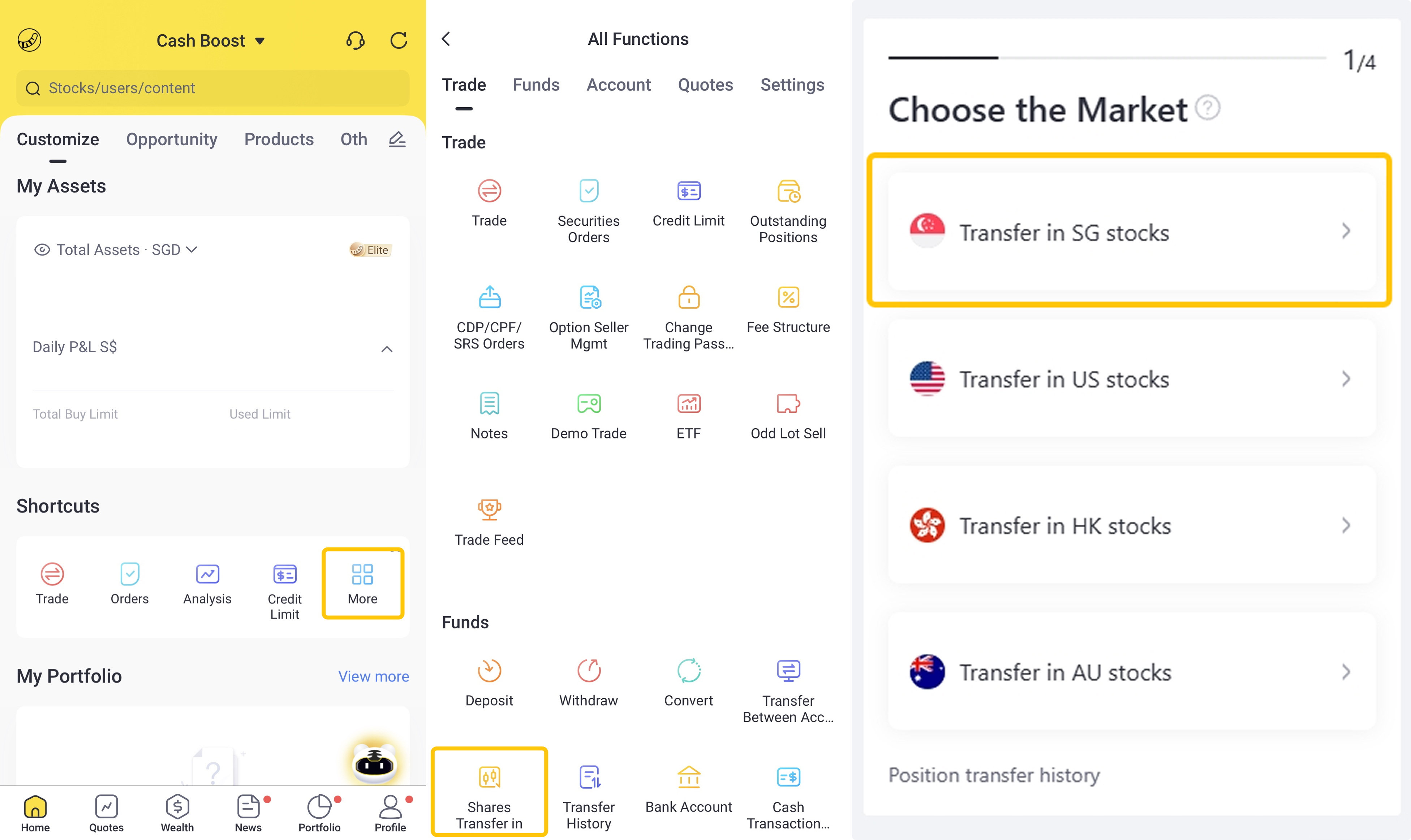
Open the Tiger Trade APP, go to [Home > More > Shares Transfer-in] and select "Transfer in SG stocks"
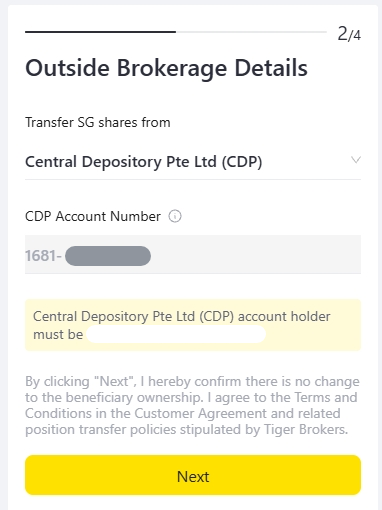
If you have not successfully linked your CDP direct account to your Cash Boost Account, please enter your 12-digit CDP direct account number beginning with “1681”. Please ensure that the CDP account and Tiger account belong to the same beneficial owner.
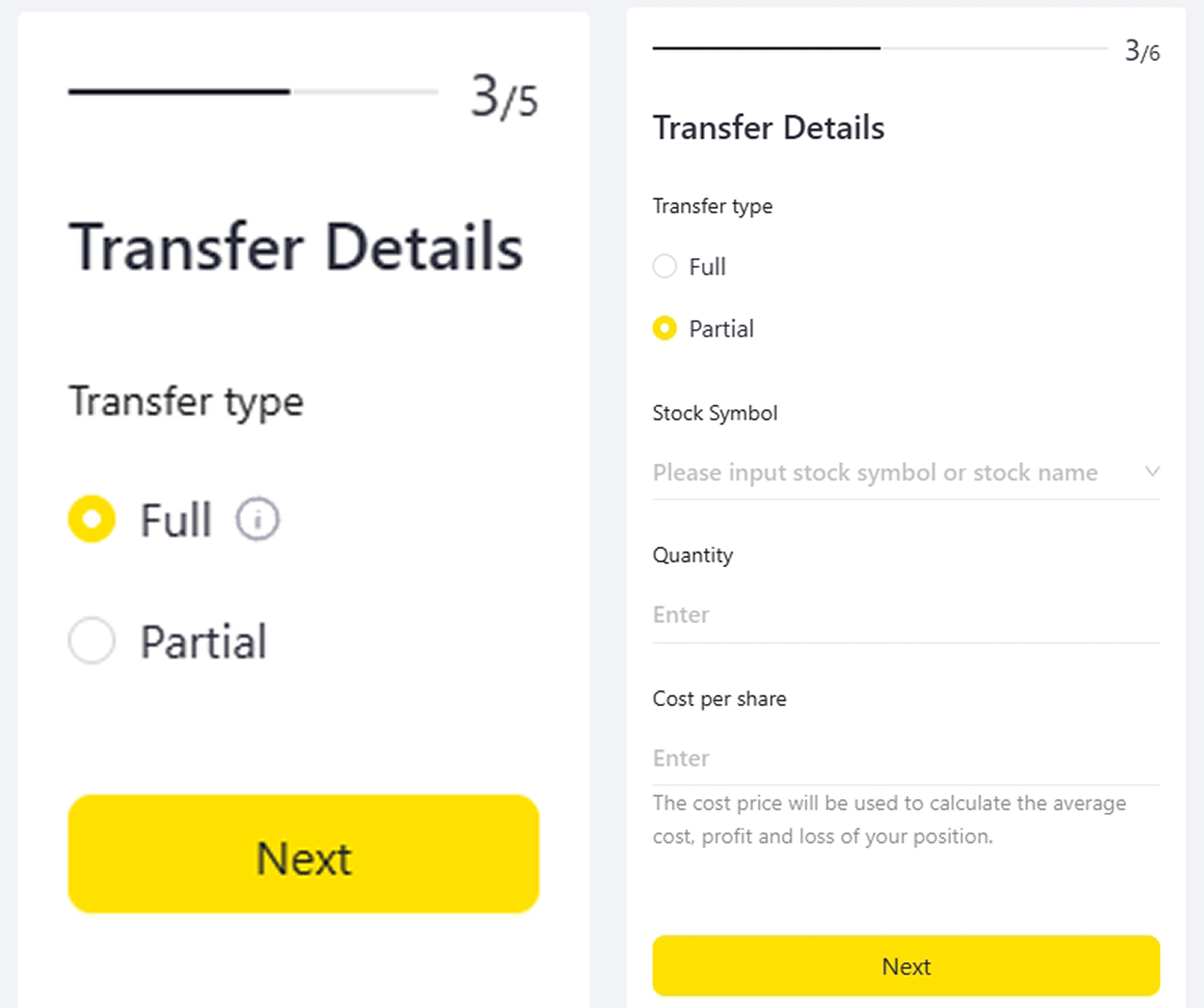
Select "Full" to transfer all eligible Singapore securities from your CDP account.
Select “Partial” if you wish to transfer specific stocks from your CDP account, and provide the required stock details.
Note: For full transfers, the cost price used to calculate the profit and loss of the holdings will be based on the last closing price upon completion of the share transfer.
For updates to your cost price, please contact our Client Services team.
You may amend and finalise your completed transfer details at "Confirm Information". Click "Next Step" to verify your personal information. Please ensure that the ID number submitted matches the records registered with CDP to avoid rejection of the share transfer request.
Please note that if your personal details registered with Tiger Brokers (including your date of birth, nationality, and residential address) differ from those in CDP's records, the CDP records will be updated accordingly.
Upon successful submission, Tiger Brokers will receive and process your transfer request.
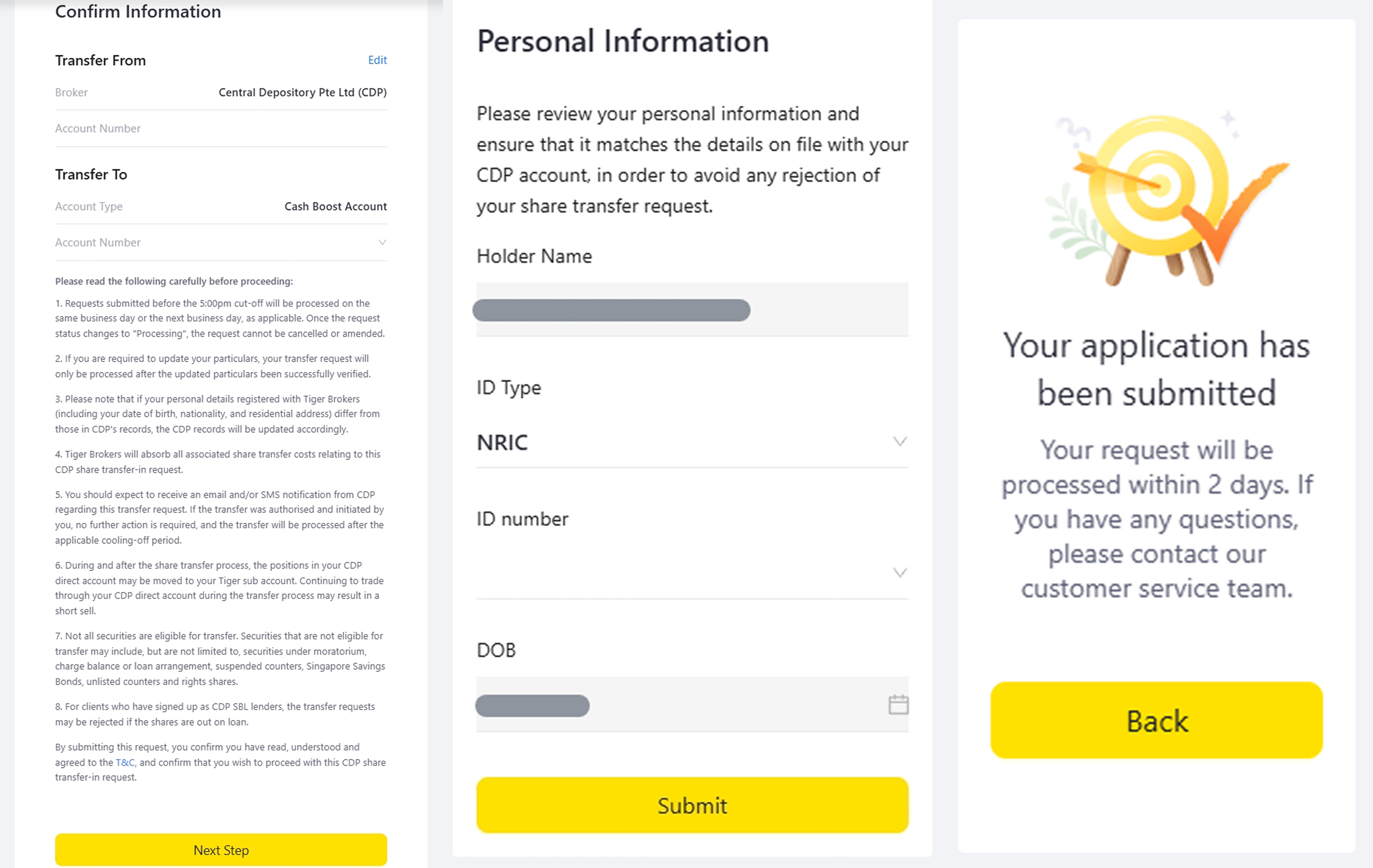
Once CDP receives your share transfer request, CDP will send an email and SMS notification to the contact details registered with Tiger Brokers.
If your contact details differ from those registered with CDP, notifications will be sent to both sets of contact details.
If you do not have an email address and/or mobile number registered with CDP, the contact details provided by Tiger Brokers will be updated in your CDP records.
Website Transfer
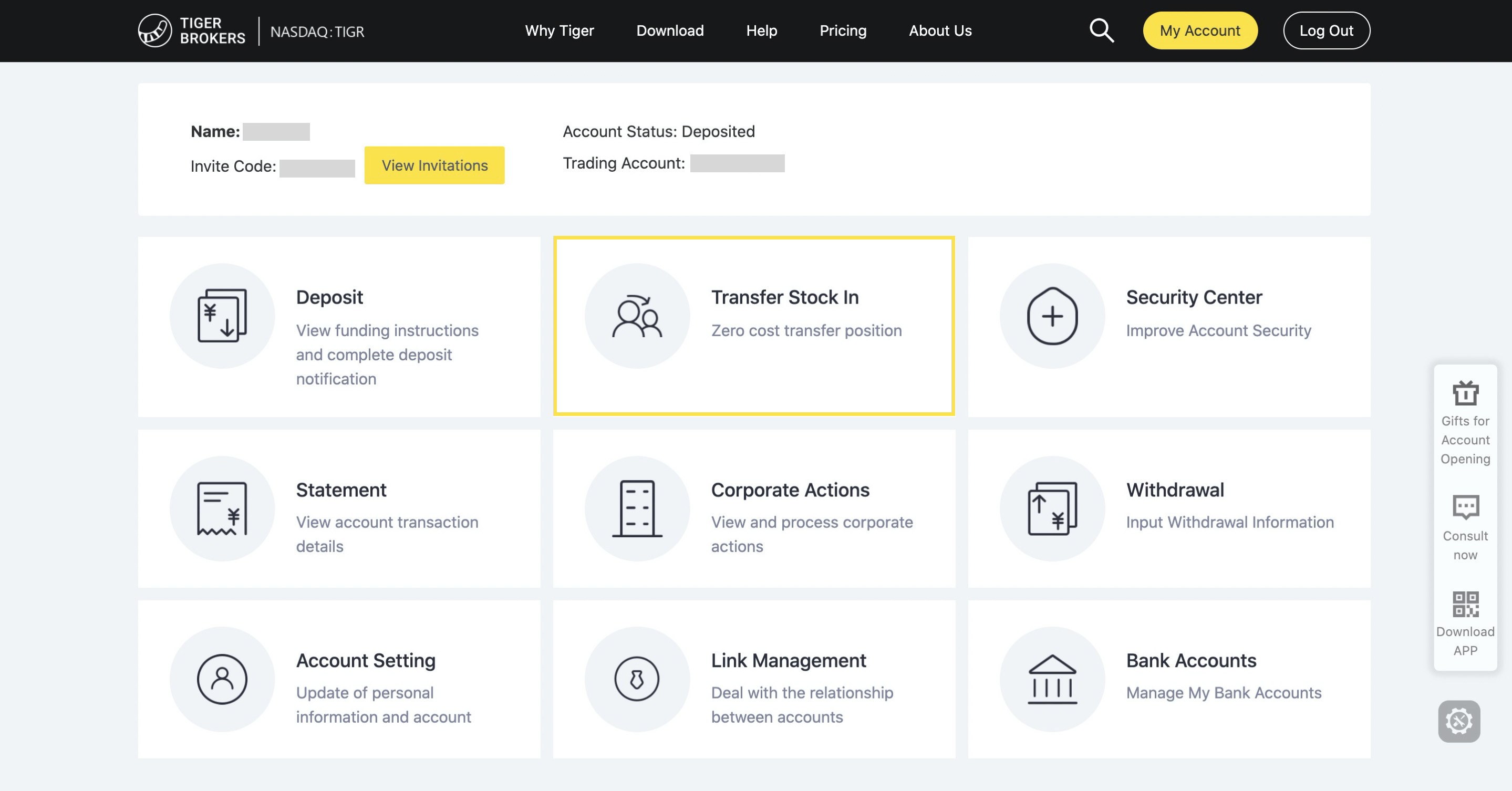
After logging in at the official website (https://www.itiger.com/sg), click on [Shares Transfer-in (Transfer Stock in)] and follow the same steps as the above above "Mobile Transfer".